The CSC eLabharthi KYC allows beneficiaries in Bihar to easily update their pension details online. With CSC eLabharthi login, users can check status, manage accounts, and complete verification. Bihar Virdha Pension eKYC ensures timely pension distribution by linking Aadhaar and bank accounts, making the process secure, fast, and hassle-free for senior citizens.
The eLabharthi CSC Login for Bihar Vridha Pension KYC 2026: Online Process, Status Check and Easy e-KYC Update Guide.
Bihar Vridha Pension KYC 2026 is an essential process for elderly beneficiaries to continue receiving pension benefits. Citizens can complete their e-KYC online by linking Aadhaar and bank details. The government has made the process simple, allowing pensioners to check status updates and complete verification online for timely payments.
Overall Bihar Virdha Pension Online eKYC Kaise Kare 2025-26
| Article | eLabharthi CSC Login for Bihar Vridha Pension KYC 2026: Online Process, Status Check and Easy e-KYC Update Guide. |
| Department | Social Welfare Department, Govt of Bihar |
| e-KYC Accept Mode | Online |
| Last Date | has not been determined |
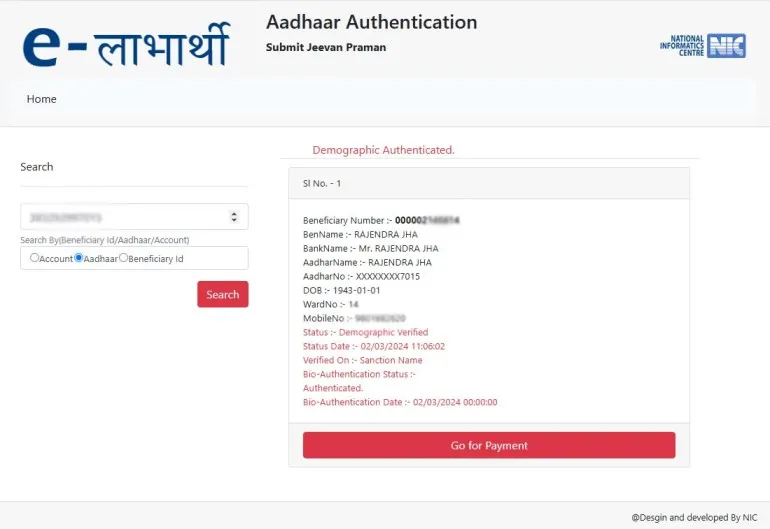
How to Bihar Old Age Pension e-KYC 2026 Online through CSC e-Labharthi Login?
If you are currently a CSC operator, then this article is going to be very beneficial for you because the complete information on how to do e-KYC of Bihar Virdha Pension by logging in to CSC is presented step wise below, please do not forget to follow.
- Step: First, visit the official website “https://elabharthi.bihar.gov.in/elabharthi-csc-login/“.
- Step: Then, click on the “eLabharthi CSC Login for Bihar Vridha Pension eKYC 2025 Online” link.
- Step: Then, enter the “CSC ID” and “Password” and fill in the “Captcha.”
- Step: After “Login,” an “eKYC Dashboard” will open.
- Step: Then, enter the “Aadhaar Card Number” of the “Vridha Person” and click on “Authenticate.”
- Step: Then, “Connect” the “Fingerprint Device” to complete your authentication.
- Step: Then, enter the finger of the Vridha Person and click on the “Submit” button.
- Step: After the eKYC is complete, “Pay the Charge” for “CSC Services.”
- Step: After that, click on “Virdha Pension eKYC” Successfully “Completed” will be for 1 year.
References and Sources
| CSC Login | Link-1 | Link-2 | Link-3 | Link-4 |
| Official Notification | View |
| Home Page | Visit |